C++ Definition of EventTag (Updated in V3.0)
To use them in your code module, the first thing you need to do is enable the plugin and add “EventTag” and “EventSystem” to your .Build.cs file
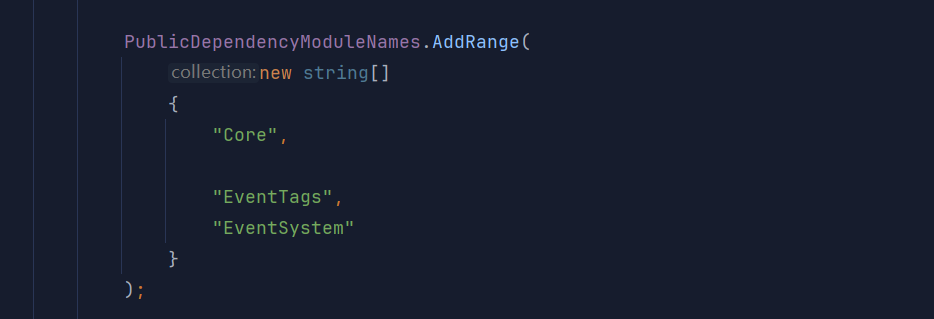
All the test code below can be found in TestEventTagActor.h and TestEventTagActor.cpp
1. Declaration of custom Events in the C++ .h file
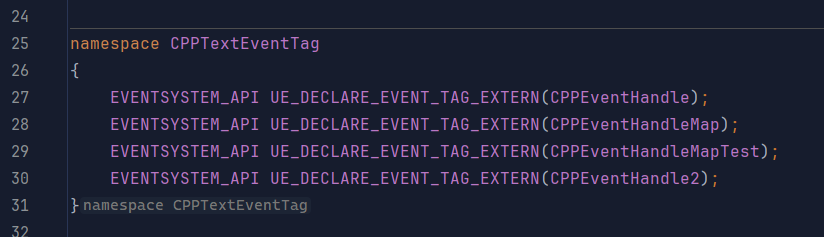
2. Defining the declared EventTag in the C++ .cpp file
CPPEventHandle (defines and binds listeners in C++, binds listeners in Blueprints, tests notifications in both C++ and Blueprints; test passed)

CPPEventHandle2 (defined in C++; tests various parameter types in Blueprints (including Array and Set types))
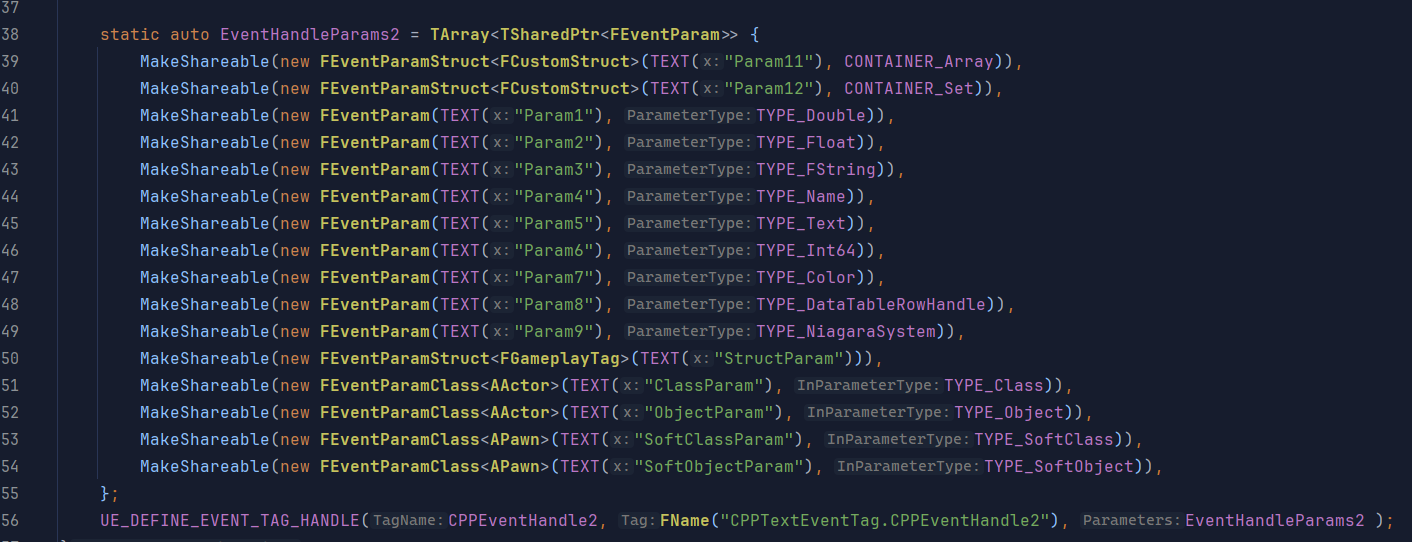
CPPEventHandleMap (tests the definition of all Map types in C++)

CPPEventHandleMapTest (defines an EventTag with Map-type parameters in C++, performs event listening and event notification in both C++ and Blueprints, and tests validity)

3. Using defined EventTags in C++ for listening and notification
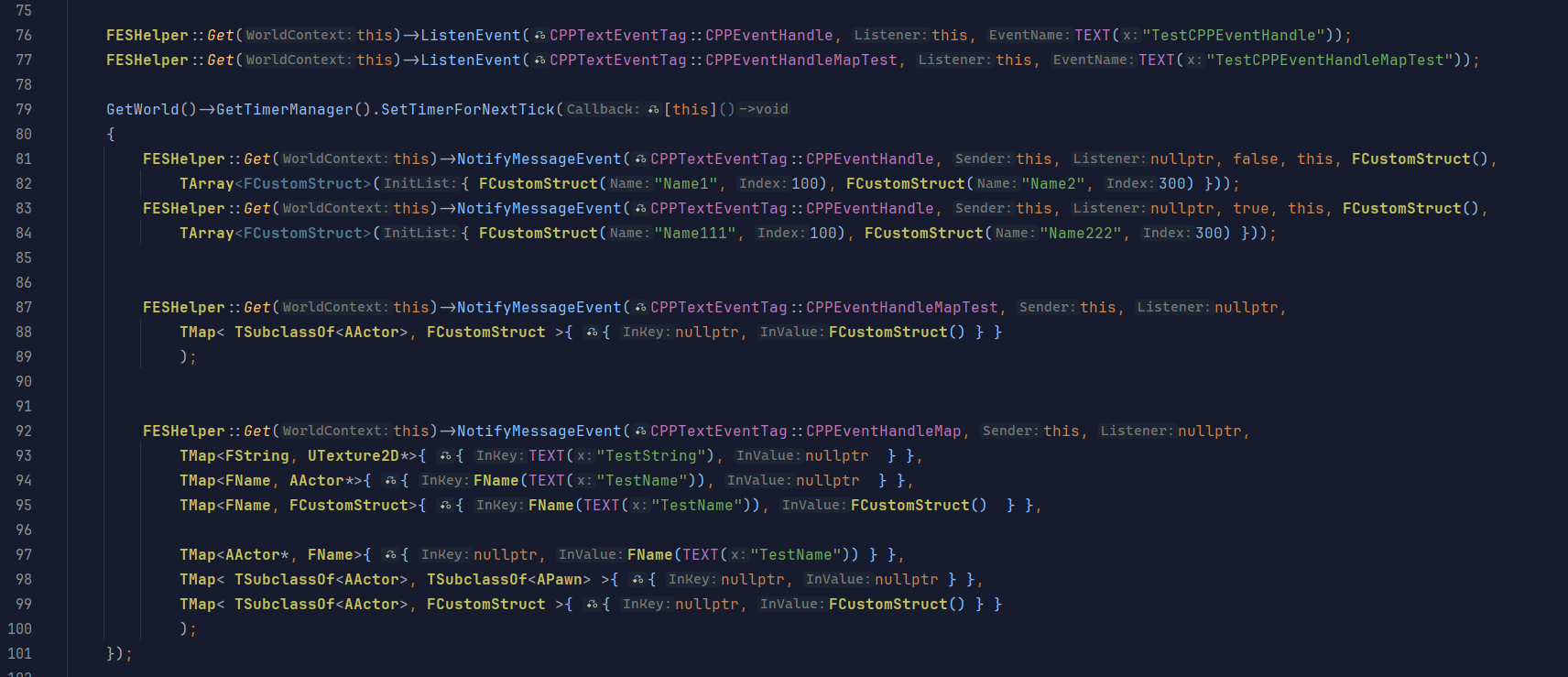
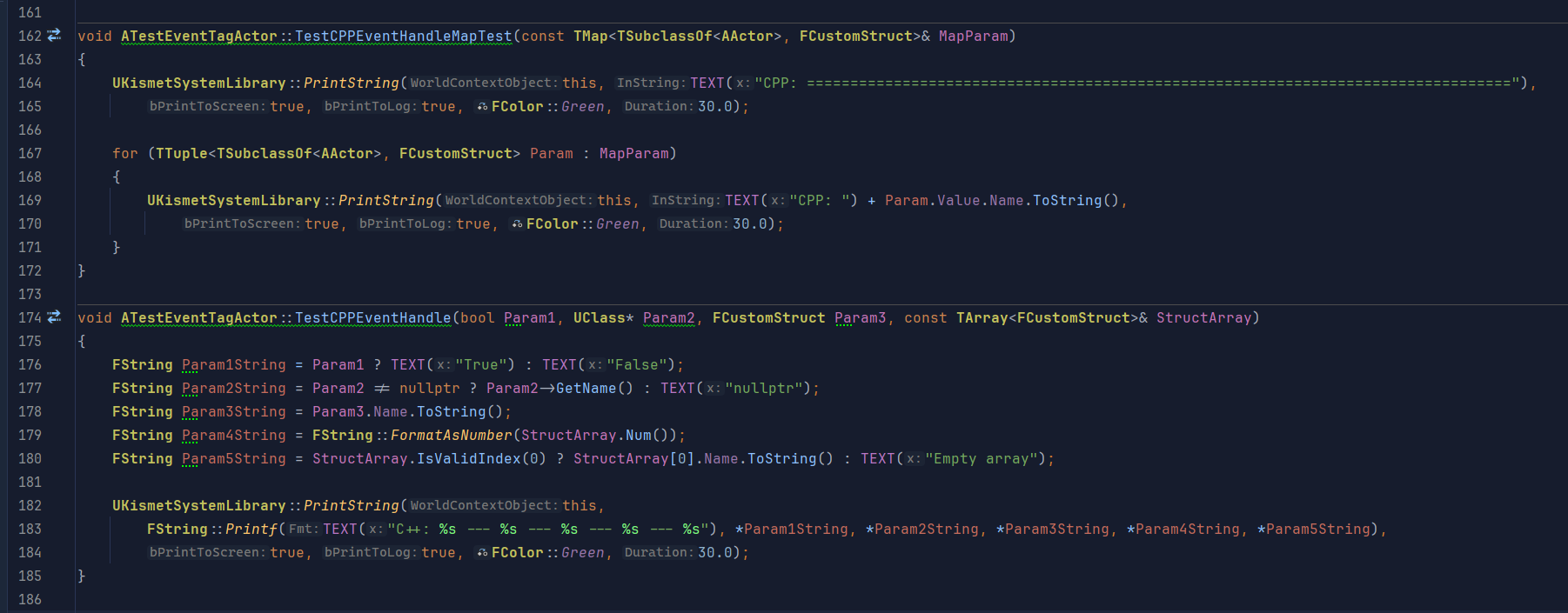
Note: TestCPPEventHandleMapTest and TestCPPEventHandle need to be marked with UFUNCTION().
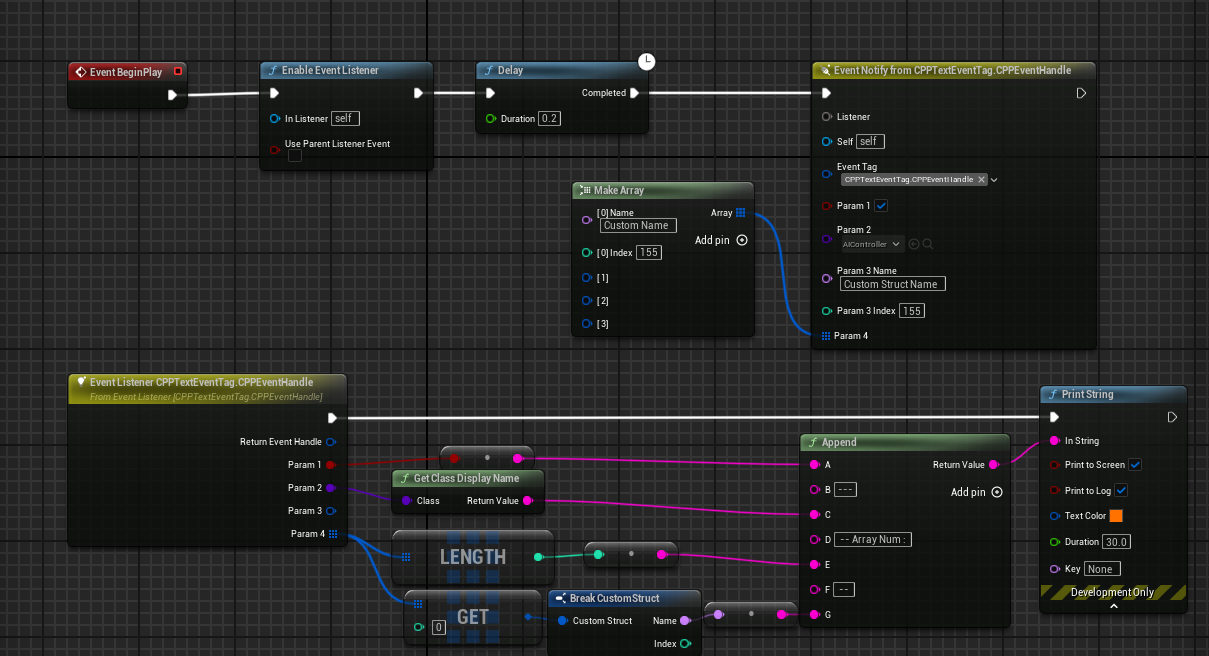
4. Using defined EventTags in Blueprints for listening and notification
Method 1:
Method 2:
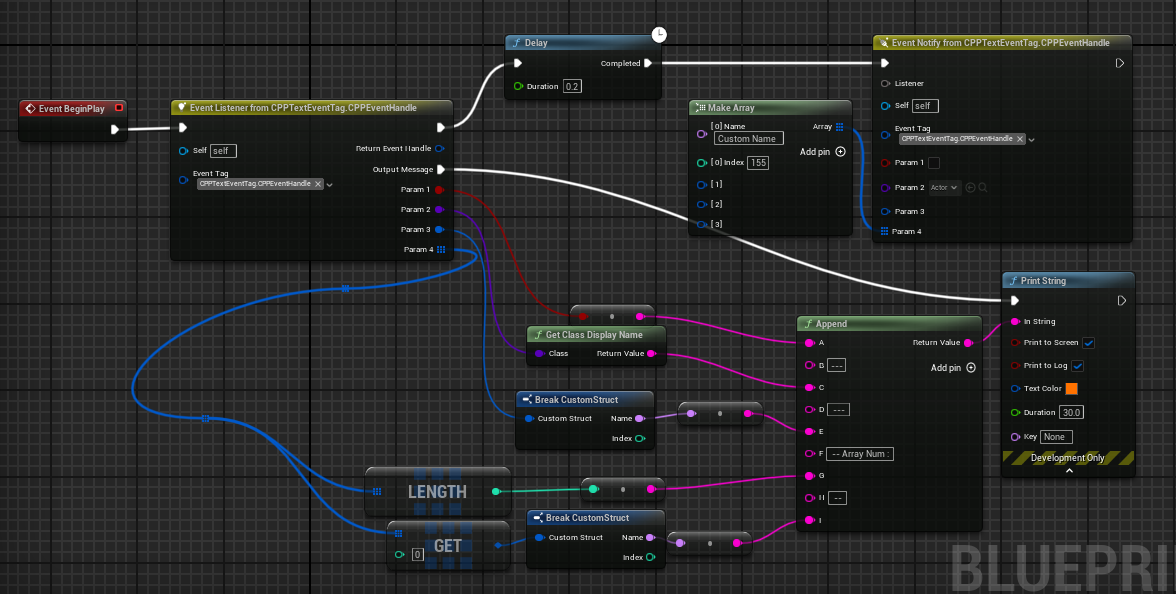
To learn about specific usage in Blueprints, please refer to the document 2. Using in Blueprints
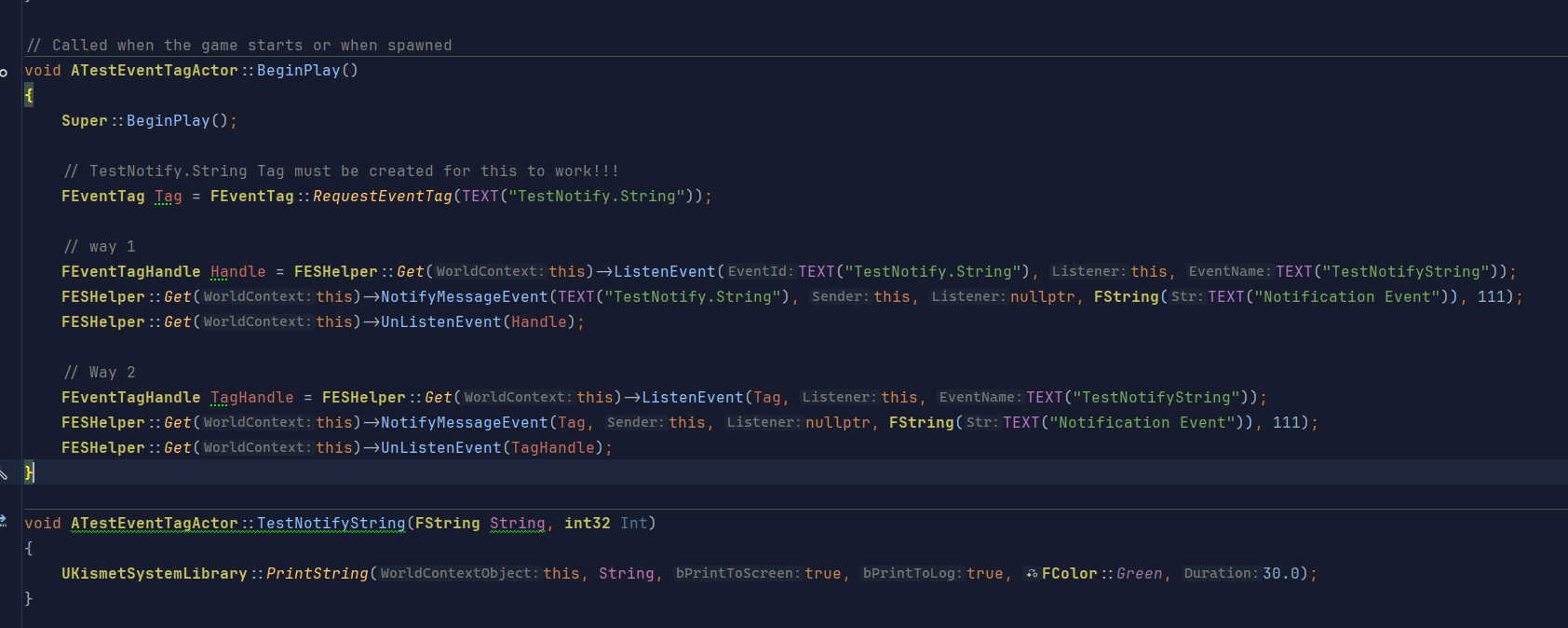
Using String Notifications
			void ATestEventTagActor::BeginPlay()
\{
	Super::BeginPlay();

	// 监听事件
	FEventTagHandle Handle = FESHelper::Get(this)->ListenEvent(TEXT("TestNotify.String"), this, TEXT("TestNotifyString"));
	// 通知已监听的对象
	FESHelper::Get(this)->NotifyMessageEvent(TEXT("TestNotify.String"), this, nullptr, FString(TEXT("Notification Event")), 111);
	// 取消监听事件
	FESHelper::Get(this)->UnListenEvent(Handle);
\}

// ListenEvent的第三个参数对应此函数,这个函数必须使用UFUNCTION()标记
void ATestEventTagActor::TestNotifyString(FString String, int32 Int)
\{
	UKismetSystemLibrary::PrintString(this, String, true, true, FColor::Green, 30.0);
\}
Using EventTag Notifications
			void ATestEventTagActor::BeginPlay()
\{
	Super::BeginPlay();

	// TestNotify.String Tag must be created for this to work!!!
	FEventTag Tag = FEventTag::RequestEventTag(TEXT("TestNotify.String"));

	// 监听事件
	FEventTagHandle TagHandle = FESHelper::Get(this)->ListenEvent(Tag, this, TEXT("TestNotifyString"));
	FESHelper::Get(this)->NotifyMessageEvent(Tag, this, nullptr, FString(TEXT("Notification Event")), 111);
	FESHelper::Get(this)->UnListenEvent(TagHandle);
\}


// ListenEvent的第三个参数对应此函数,这个函数必须使用UFUNCTION()标记
void ATestEventTagActor::TestNotifyString(FString String, int32 Int)
\{
	UKismetSystemLibrary::PrintString(this, String, true, true, FColor::Green, 30.0);
\}
C++ Definition of EventTag (Updated in V2.5 (Soon to Be Deprecated))
1. Declaration of custom Events in the C++ .h file
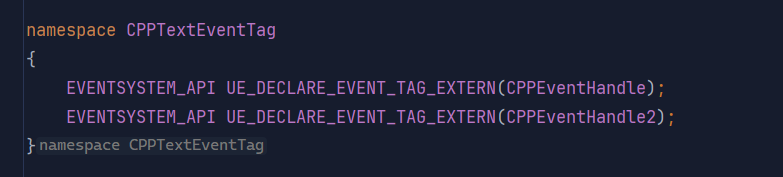
2. Defining the declared EventTag in the C++ .cpp file
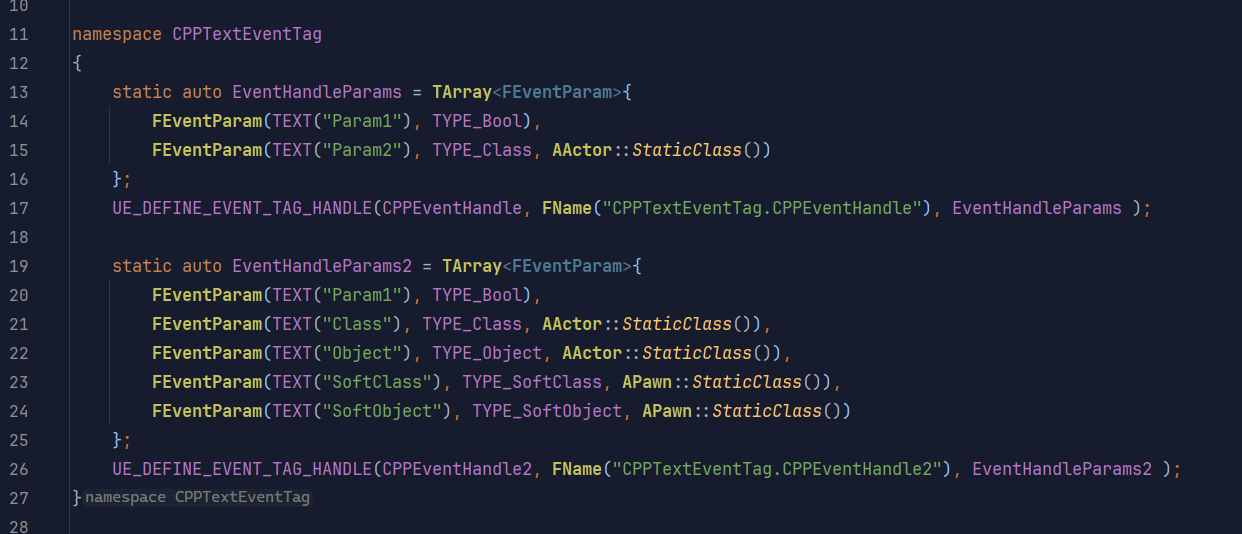
3. Using defined EventTags in C++ for listening and notification


Note: TestCPPEventHandle needs to be marked with UFUNCTION().
4. Using defined EventTags in Blueprints for listening and notification
Method 1:
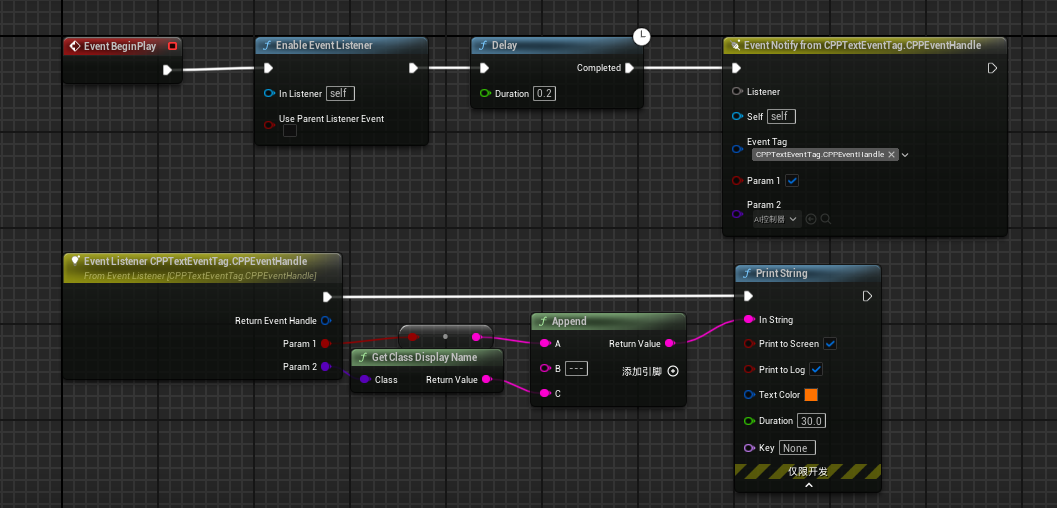
Method 2:
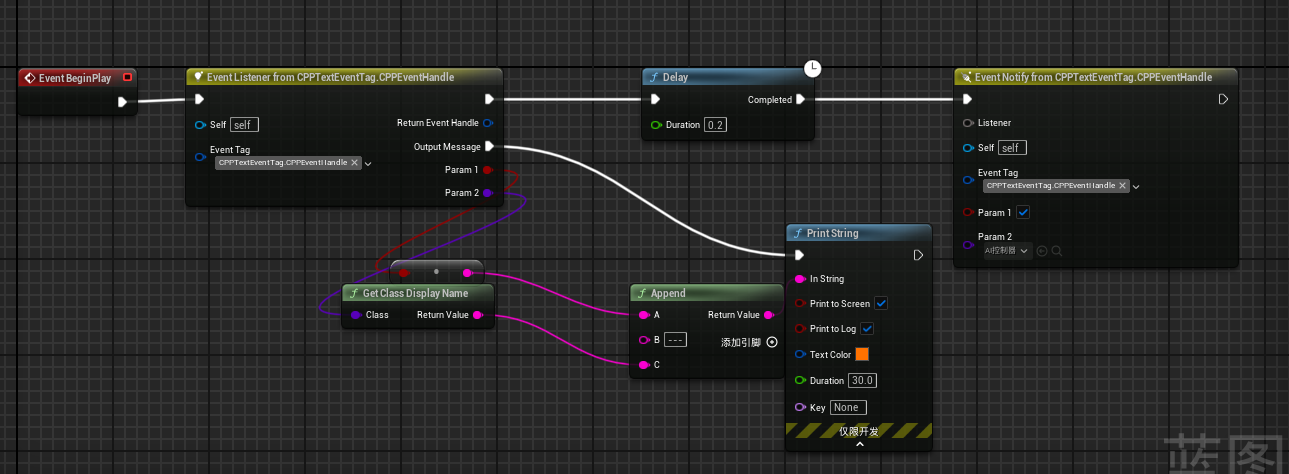
To learn about specific usage in Blueprints, please refer to the documentation 2. Using in Blueprints
Comments
Share your thoughts and discuss with everyone