System Overview
Important Settings
The CSV file must be placed according to the configuration in the project settings.
The CSV file encoding must be UTF-8.
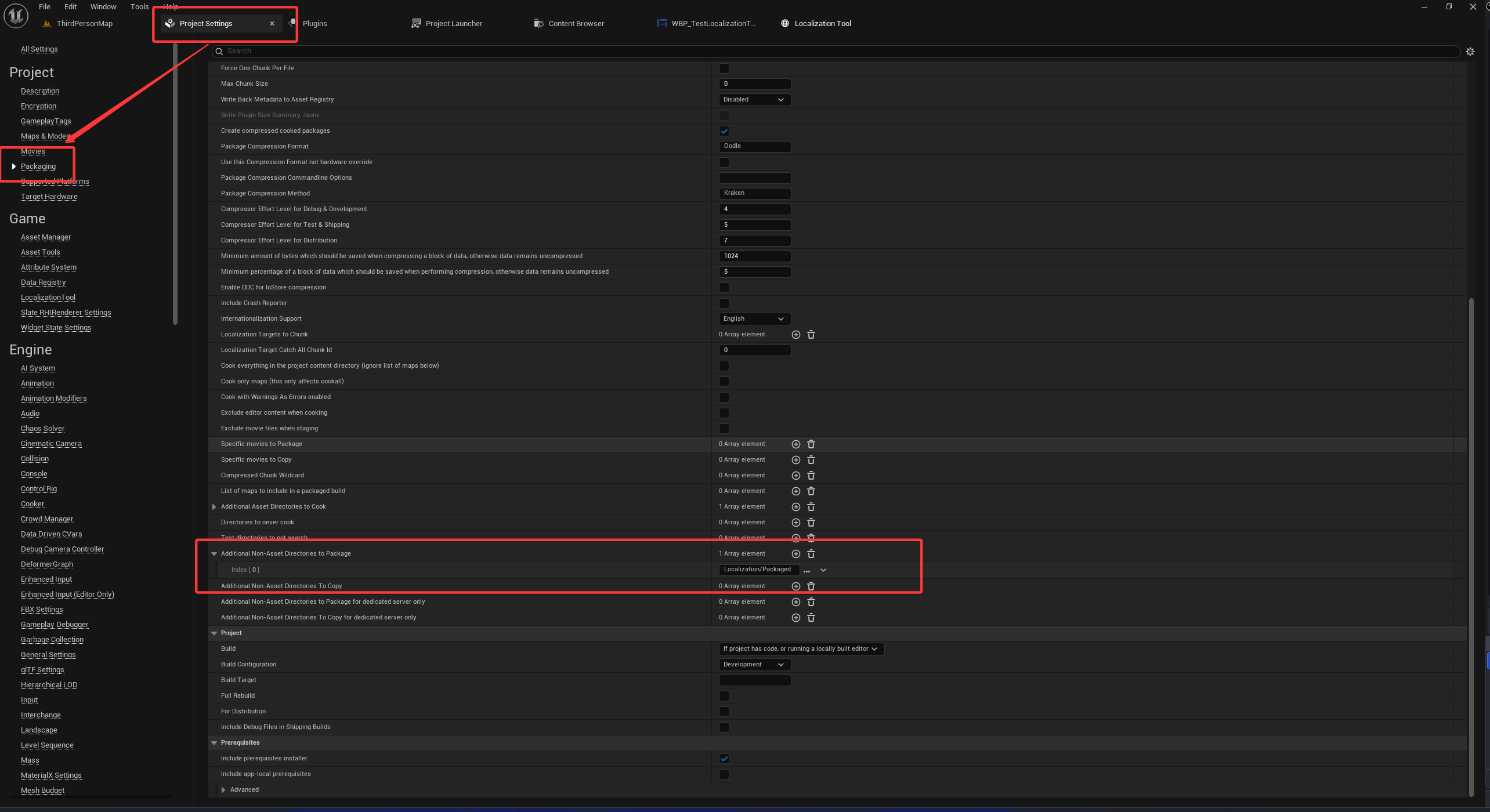
When packaging, you must add the item: Edit→Project Settings→Packaging→Packaging Advanced→Additional Non-Asset Directories To Package
1. Overview of the Simple Localization Tool for Unreal Engine
This plugin is a localization tool that introduces a simpler way to complete localization work for games made in Unreal Engine. It introduces a simpler approach: you only need to write CSV files and place them in the specified project path to localize a game in Unreal Engine. You no longer need to use the engine's localization tools for cumbersome operations such as gathering, compiling, and translating; everything is configured in CSV files. Everything the plugin does is implemented based on FText's localization solution: String Tables. Therefore, FText localization support will not be changed, but the localization data is not imported from the Localization Dashboard and *.po files; instead, it is imported from CSV files containing keys and values for each supported language. This is a great solution for indie game developers or small teams that only need localized text support and need an easy-to-use and easy-to-change format to support localization. It is also suitable for medium and large teams, which will reduce the time spent customizing tools. You only need to configure it once and then keep editing your CSV files to achieve multilingual support. By default, the plugin remembers the language you last used.
Before We Begin:
It only allows the use of CSV files containing localization data, or TXT files in CSV format.
Supports the creation and maintenance of text content translations.
Provides clearer error messages when keys are missing from String Tables.
Supports multiple localizations for the same language.
The plugin has been tested on engine versions 5.0 and above.
Supports dynamic updates in editor mode.
Supports dynamic changes at runtime (in packaged builds).
Supports use in Blueprints and C++.
2. Some Features of the Plugin
1. CSV StringTable Support
The plugin uses CSV files exclusively to manage all localization data and supports modifications to various translation languages. For each row of data in the CSV file, you should determine the Key during the first edit, because this key will be used to manage all language translation content corresponding to it. An example file is as follows:

In version V2.0.0 and above, the plugin can already be opened directly in the editor and can connect to AI to assist with translation into other languages!
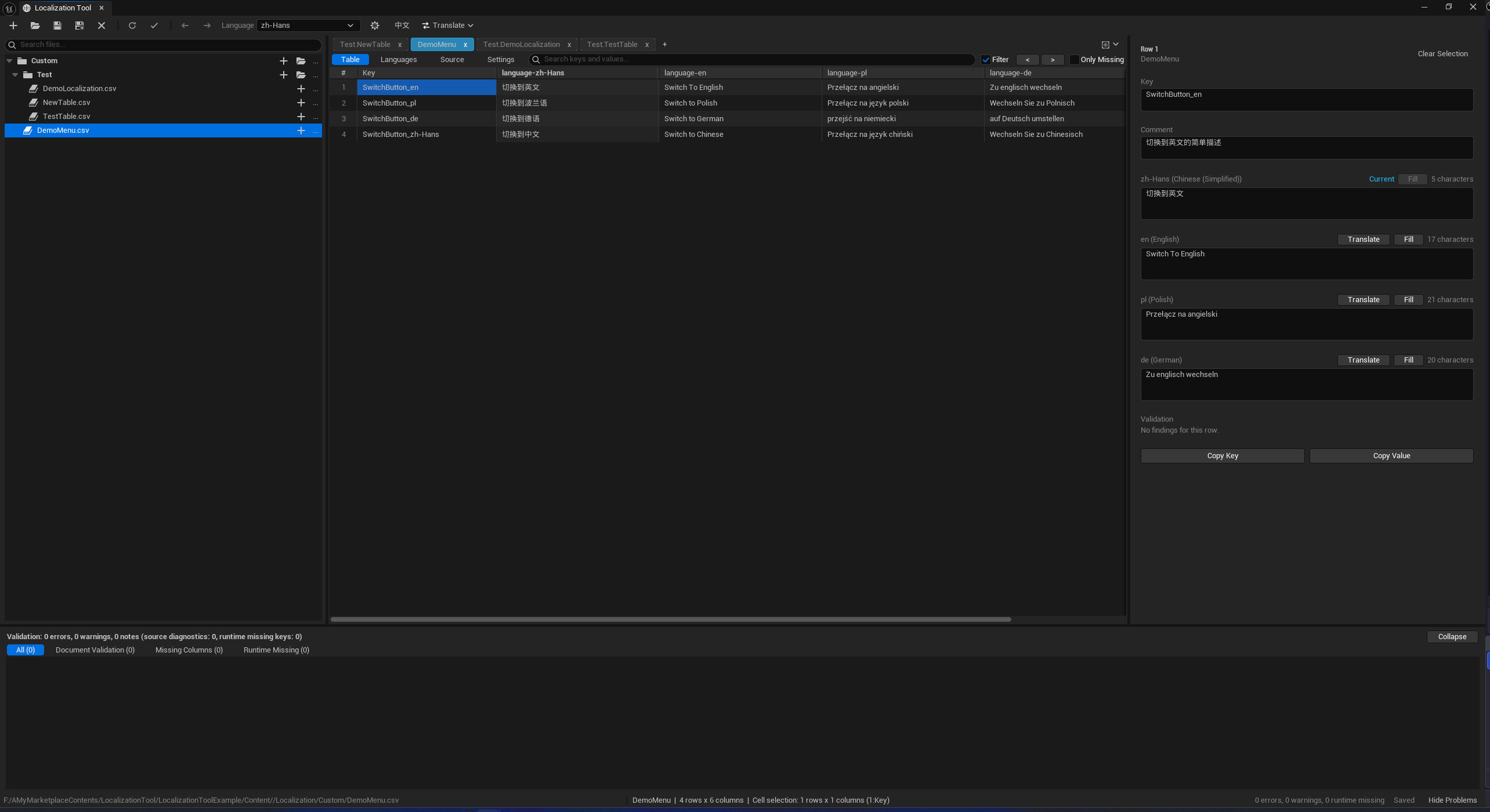
Field description:
Key: This is a required column, and it represents the specific language translation text for the current language type. However, note that Keys are not allowed to be duplicated in the same CSV file.
language-xx: This is the specific language translation text column. You can add any number of language-xx columns.
The suffix (xx) in the column name is the abbreviation of the specific translation language (please refer to Unreal Engine localization); the example uses en (English), de (German), pl (Polish), and zh-Hans (Chinese). The prefix format in the column name needs to be set according to the configuration in the project; see the introduction in the Untitled section. The default prefix is language-.
Comment: This is a development-time column that serves as an explanation of the row's text in a language you are familiar with. It can be empty.
2. Adding New Keys in the Editor Is Not Supported
Note that this system is managed entirely through CSV files. You can dynamically configure language translation content in both packaged builds and editor mode, and there is no longer any need to add translations for this content in the editor's localization tools, unless you use other text outside this system. Therefore, this tool does not support adding any language content in the editor.
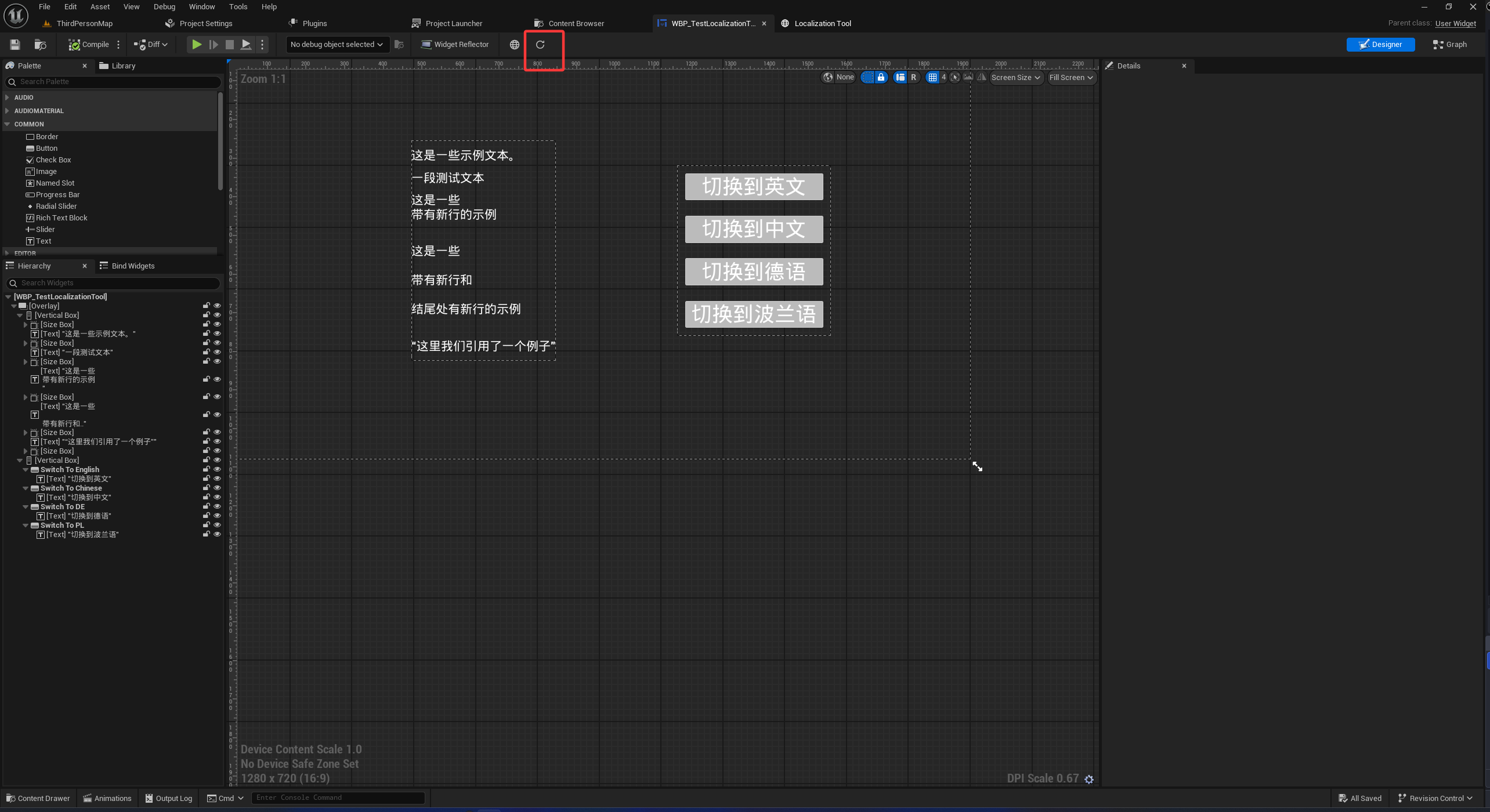
3. After Modifying the CSV File, You Can Quickly Reload Text with a Button.
4. Supports Blueprints and C++
5. You Can Add Any Number of CSV Files
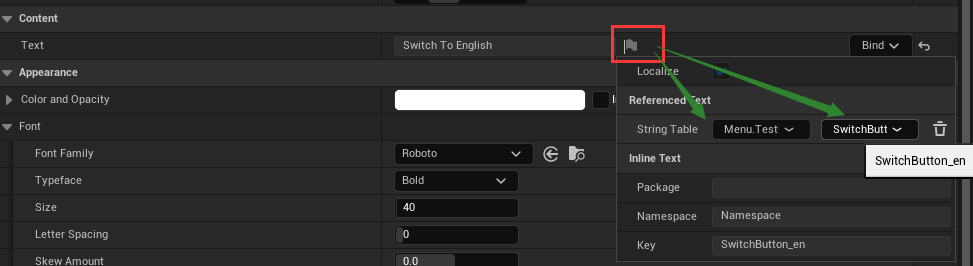
The plugin system uses the file name of each CSV file as the TableId.
6. More Convenient Management of Localization Content
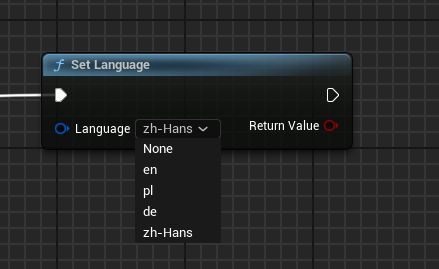
7. The system customizes the combo box of available languages based on the language-xx columns in the configuration table. You can set it easily without having to enter the language string again to set the language.
8. Translation
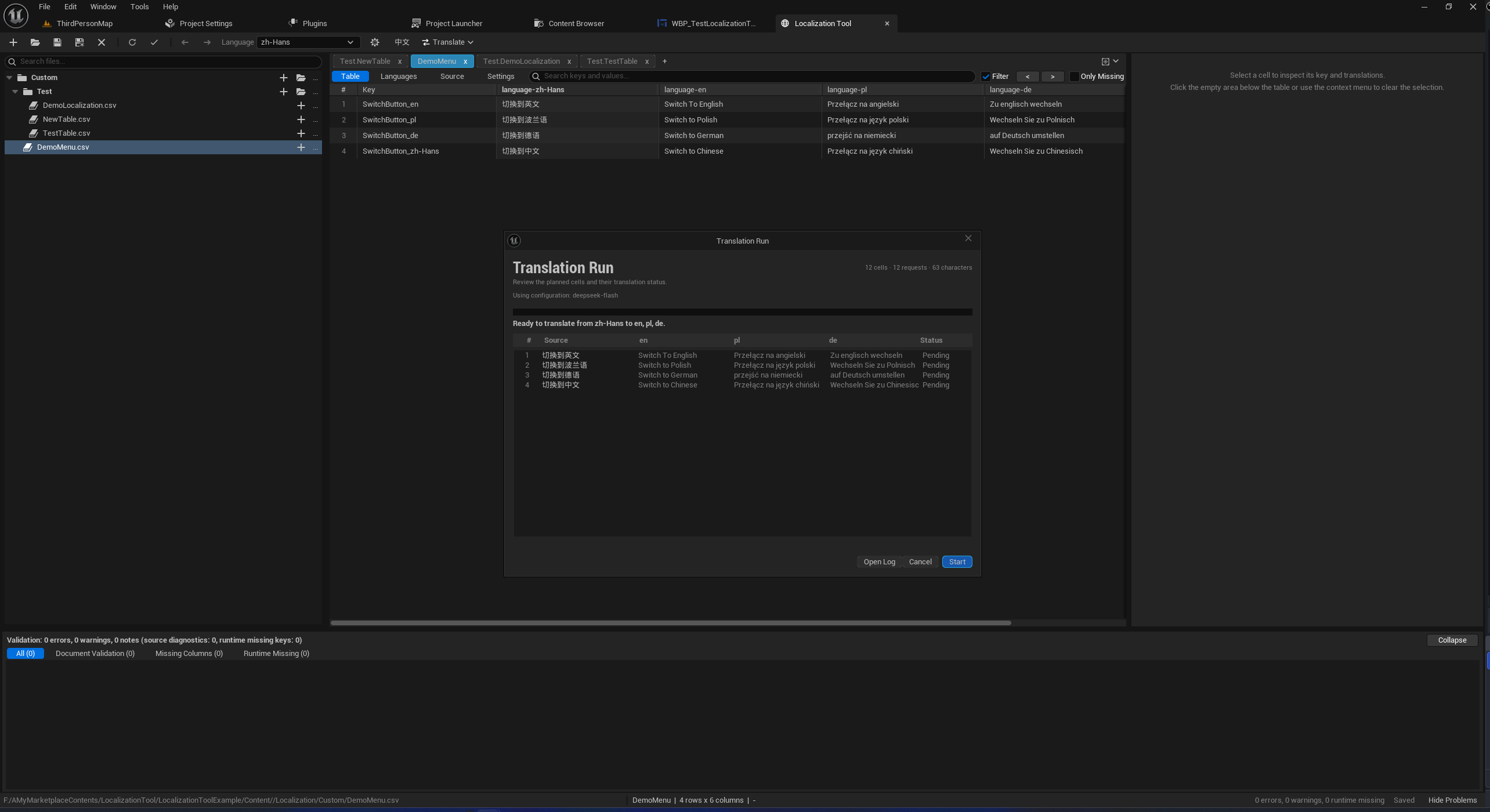
and more…
Comments
Share your thoughts and discuss with everyone