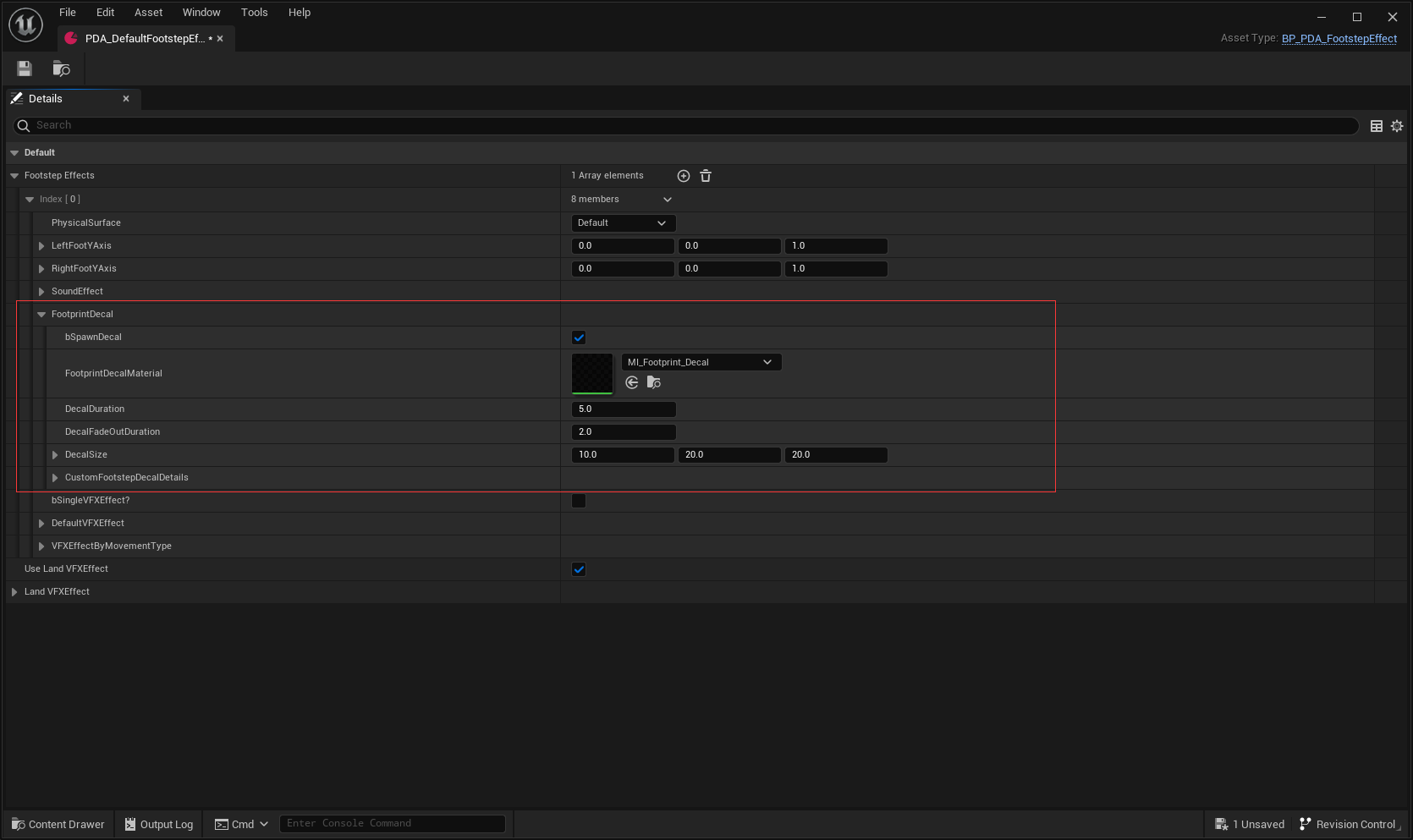
As you can see, if you are using the default character, you can ignore this; it has a footstep decal info configured by default.
DecalMaterial: The decal material for the footstep.
Decal Duration: The display duration of the footstep decal.
DecalFadeOutDuration: The fade-out time of the decal (after it is displayed).
Decal Size: The size of the decal.
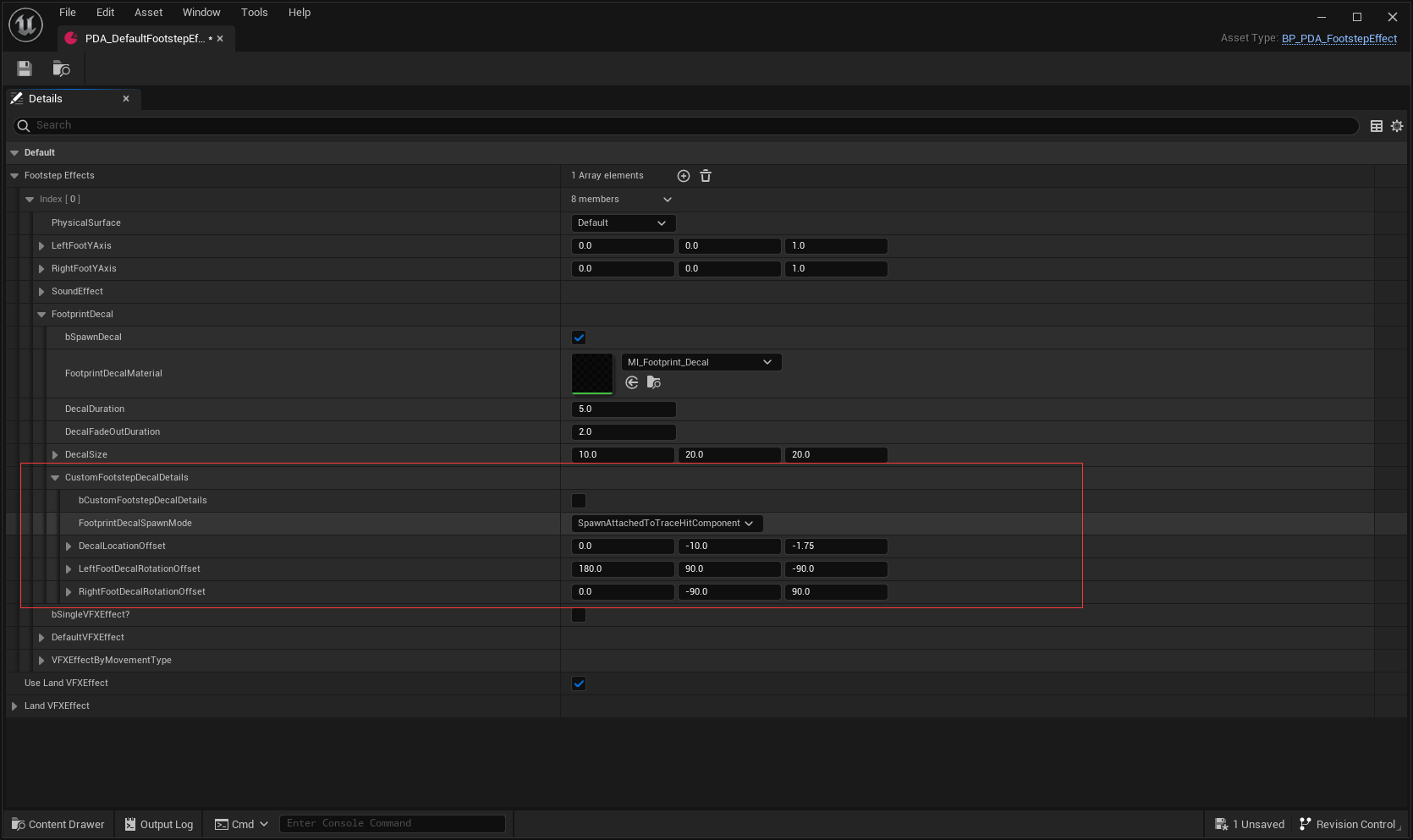
CustomFootstep Decal Details: This is where you fine-tune the effect when using your own decal.
Decal Spawn Mode: This is where you choose whether the spawned decal is attached to the hit component or the hit location by default; the system default is to attach to the hit component.
Decal Location Offset: The default location offset when the decal is spawned.
Left Foot Decal Rotation Offset: The rotation offset of the left foot footstep decal.
Right Foot Decal Rotation Offset: The rotation offset of the right foot footstep decal.
Comments
Share your thoughts and discuss with everyone